13 mins
How Enterprises Are Using GPUs for Real-Time Video Analytics and Computer Vision
Video analytics used to mean motion-triggered recording and rule-based alerts that a security guard reviewed the next morning. A camera detected pixel change, flagged a clip, and someone decided hours later whether it mattered. That model worked when the goal was recording evidence, not making a decision in the moment.

That started changing as machine learning research, particularly convolutional neural networks, moved from research papers into production, and GPUs gave those artificial intelligence models somewhere to run fast enough to matter. The market reflects how quickly this moved from experimental to standard: the global computer vision market was valued at $19.82 billion in 2024 and is projected to reach $58.29 billion by 2030, growing at a compound annual rate of 19.8 percent (Source: Grand View Research, 2024). Enterprises adopted this because the cost of finding out about a problem after the fact kept climbing.
The pace of the shift matters because the hardware and camera deployments moved together. Resolution climbed from 1080p toward 4K, enterprises added more feeds per site, and models grew from simple object detectors into vision-language models that can describe and reason about a scene. None of that is CPU-friendly work at the volumes enterprises now run it at.
What follows is a look at why GPUs became the default hardware for this workload, where enterprises are deploying it today, what infrastructure it takes to run at scale, and how to evaluate a GPU cloud or colocation provider against the demands of real-time video.
Why GPUs Became the Standard for Real-Time Video Analytics and Computer Vision
GPUs became the standard hardware for real-time video analytics and computer vision because they excel at parallel processing of the matrix-heavy math behind deep learning models, decode and analyze multiple video streams concurrently, and hit the millisecond inference latencies these use cases require. A CPU built for sequential, general-purpose tasks was never the right tool for a workload that is fundamentally parallel.
Limits of CPU-Based Video Inference at Scale
CPU-based video inference hits three scaling limits that GPUs do not: a sequential core architecture that processes convolutional operations one at a time, a memory subsystem not built for the parallel tensor math deep learning models require, and inference latency that grows as more camera streams are added to a single server. Academic benchmarking of a convolutional neural network of the type used in many vision pipelines found a GPU completed 20 training epochs in roughly 2 hours versus roughly 13 hours on CPU, and cut single-image inference time from roughly 5 seconds on CPU to roughly 2 to 3 seconds on GPU (Source: arXiv, 2023). That gap is why a CPU that looks adequate against a single test image falls behind fast once it has to process dozens of live streams at once.
Growth of High-Resolution, Multi-Camera Workloads
Enterprise video analytics applications have grown along two axes at once: IP camera resolution moving from 1080p toward 4K, and the number of concurrent streams per site climbing as organizations extend coverage across their physical footprint. Multiply higher resolution by dozens or hundreds of cameras per facility, and the compute and memory requirements stop being incremental, which is the growth pattern that pushed enterprises past what a CPU-based server could keep pace with.
Role of Deep Learning Model Types (CNNs, Transformers, VLMs) in Modern Computer Vision
Three model families now do the analytical work behind enterprise video analytics and computer vision applications: convolutional neural networks for object detection and image classification, transformer-based architectures for temporal and contextual reasoning across frames, and vision-language models, a generative AI approach that can summarize and answer questions about what a camera is seeing. Each successive family asks more of the underlying hardware.
For technical teams: CNNs remain the workhorse for straightforward detection tasks, outputting bounding boxes and class labels, and run efficiently on mid-tier GPUs. Transformer and vision-language model pipelines require substantially more VRAM and compute per stream because they process temporal context across frames rather than a single frame in isolation, which is why enterprises adopting agentic video search tools that respond to natural language prompts typically budget for higher-end GPU classes.
Software Stack Enterprises Use for GPU Inference (CUDA, TensorRT, Triton)
Enterprises running GPU-accelerated video analytics typically rely on three software layers: CUDA as the parallel computing platform that lets AI models run on GPU hardware, TensorRT to optimize and quantize trained models for faster inference, and Triton Inference Server to serve multiple models and streams concurrently in production. For technical teams: software optimization on the same GPU hardware can move throughput dramatically, independent of any hardware upgrade. NVIDIA's own benchmark data shows its latest Blackwell B200 GPU gaining roughly 4x higher throughput on the same model purely from a TensorRT-LLM software update, with no hardware change (Source: NVIDIA, 2026). The same principle applies to computer vision pipelines: quantizing a model and tuning the Triton serving stack is typically what determines how many camera streams a single GPU can actually support in production, not the raw compute specification on a datasheet. That software layer, more than any single hardware spec, is what turns a GPU server into working video analytics software.
Enterprise Use Cases for GPU-Accelerated Video Analytics and Computer Vision
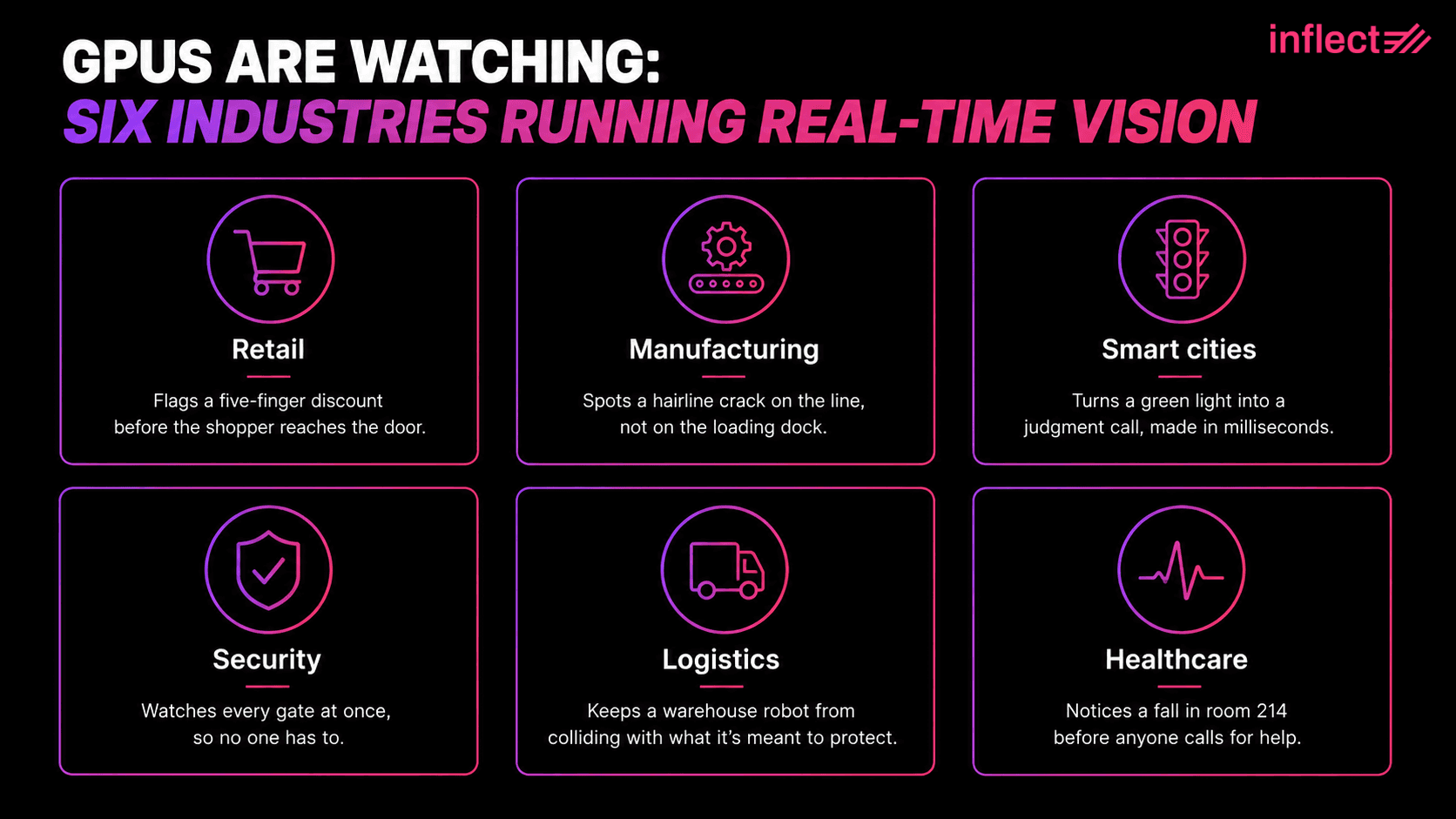
Enterprises are deploying GPU-accelerated video analytics and computer vision across six primary use cases: retail loss prevention and customer analytics, manufacturing quality inspection and defect detection, smart city traffic management and public safety, security and surveillance threat detection, logistics and warehouse automation, and healthcare and clinical monitoring. Each use case turns raw camera feeds into actionable intelligence enterprises can act on immediately, rather than after the fact.
Retail Loss Prevention and Customer Analytics
Retailers use GPU-accelerated computer vision to detect unusual patterns and shoplifting behavior, flag suspicious checkout activity, and analyze customer traffic and dwell time in real time as part of broader retail analytics programs, rather than reviewing footage after a loss has already occurred. The pressure behind this push is measurable: retailers reported an 18 percent increase in average shoplifting incidents in 2024 versus 2023, alongside a 17 percent increase in threats or acts of violence during theft events, and more than half of surveyed retailers saw an increase in organized retail crime tactics such as digital fraud and cargo theft over the same period (Source: National Retail Federation, 2025). Detecting a theft pattern at the moment it happens, rather than reviewing footage the next day, is what actually closes that gap.
Manufacturing Quality Inspection and Defect Detection
Manufacturers use GPU-accelerated machine vision to inspect products on the line for defects, contamination, and dimensional errors at line speed, catching flaws that human inspectors miss at high volumes. Quality assurance and inspection is the largest application segment in the broader machine vision market, valued at $20.38 billion in 2024 and projected to reach $22.62 billion in 2025 (Source: Grand View Research, 2024), and GPU inference, a form of automated anomaly detection, makes it possible to run this video analysis inline, at the speed products actually move through a facility, instead of sampling a fraction of units after the fact.
Smart City Traffic Management and Public Safety
Municipal and transportation agencies use GPU-based computer vision to count vehicles, detect incidents, manage adaptive traffic signals, read license plates, and identify pedestrians and cyclists in real time across intersections and corridors, applying many of the same techniques used in autonomous vehicles. These deployments run continuously across an entire jurisdiction, and adaptive signal timing depends on inference happening fast enough to change a signal or dispatch first responders before conditions change again, which rules out any architecture built around after-the-fact video review.
Security and Surveillance Threat Detection
Security teams use GPU-accelerated video analytics to detect intrusions, weapons, abandoned objects, access control violations, and abnormal crowd behavior at large gatherings, across large networks of security cameras, without requiring a human operator to watch every feed at once. A GPU-based detection layer can watch every stream continuously, from perimeter security checkpoints to interior floors, turning raw footage into actionable insights that surface potential threats, which shifts the operator's job from constant visual monitoring to responding to flagged events.
Logistics and Warehouse Automation
Logistics operators use GPU-powered computer vision to guide autonomous mobile robots, verify package handling and damage, monitor dock and yard activity, and track inventory movement across a facility in real time, tracking objects as they move between zones. Investment in this kind of automation is concentrated but real: warehouse automation order intake grew 7 percent year-over-year in 2025, driven by large-scale rollouts at companies including Amazon and Walmart (Source: Interact Analysis, 2026). Vision-guided robots depend on the same real-time inference loop as fixed cameras: a delayed detection is a robot that collides with something or a damaged package that goes unflagged until it reaches a customer.
Healthcare and Clinical Monitoring
Healthcare organizations use GPU-accelerated video analytics for fall detection in patient rooms, hand hygiene compliance monitoring, operating room workflow analysis, and remote patient monitoring that flags clinical deterioration in real time. These deployments carry a different risk profile than a retail or industrial use case, since a missed detection has a direct clinical consequence, which is why healthcare programs tend to keep inference and storage inside tightly controlled infrastructure rather than general-purpose cloud environments.
What Infrastructure Enterprises Need to Run Real-Time Video Analytics at Scale
Running real-time video analytics at enterprise scale requires six infrastructure decisions: where GPU inference physically runs relative to the cameras, whether to combine edge and cloud in a hybrid architecture, how much network latency and bandwidth the pipeline can tolerate, how much GPU memory bandwidth is needed for concurrent streams, how video data is stored and tiered, and whether GPU capacity should be dedicated or shared.
Edge vs. Centralized GPU Deployment for Video Analytics
Enterprises choose between running GPU inference on dedicated edge devices close to the cameras, or centralizing it in a regional data center or cloud region, and the right choice depends on latency tolerance, the number of sites, and how much raw video would otherwise need to travel over the network. Edge deployment keeps inference local, avoids sending raw video anywhere, and lets enterprises add inference onto existing cameras without replacing hardware, which matters for latency-sensitive use cases like safety monitoring, while centralized deployment concentrates GPU capacity where it is easier to manage and share across sites, at the cost of needing enough bandwidth to move video or metadata back to that central point.
Hybrid Edge-Cloud Architectures for Multi-Site Deployments
Most multi-site enterprises run a hybrid architecture: lightweight GPU inference at each site handles immediate detection and alerting, while a centralized GPU environment handles model retraining, cross-site analytics, and longer-term storage of flagged clips. The tradeoff is operational complexity, since hybrid architectures require enterprises to manage GPU fleets in two environments and keep model versions synchronized between them.
Network Latency and Bandwidth Requirements for Multi-Camera GPU Pipelines
Multi-camera GPU pipelines require low, consistent network latency between cameras and inference points, along with enough bandwidth to move either raw video streams or extracted metadata without creating a queue that defeats the purpose of real-time detection. For technical teams: jitter matters as much as raw throughput, since a pipeline built around consistent frame delivery will tolerate a slightly lower average bandwidth better than one that experiences occasional latency spikes, as buffering to smooth out jitter itself adds delay.
GPU Memory Bandwidth and Multi-Stream Processing Limits
The number of concurrent video streams a single GPU can process is limited less by raw compute than by memory bandwidth and VRAM capacity, since every stream's decoded video frames, intermediate model activations, and buffers all compete for the same memory pool. Resolution compounds this directly: a 4K stream consumes roughly four times the memory of a 1080p stream at the decode stage alone, which means the jump to high-resolution cameras can cut a GPU's effective stream capacity well before compute becomes the bottleneck.
Storage and Data Pipeline Design for Hot vs. Cold Video
Enterprises running video analytics need a storage design that separates hot data, the recent, actively queried video content and flagged clips, from cold data, the bulk archival footage retained for compliance or later review, because the two have very different performance and cost requirements. Enterprises that store everything on high-performance storage end up paying for speed they rarely use on the vast majority of footage that is never reviewed again.
When Enterprises Need Dedicated GPU Cloud vs. Shared GPU Instances
Enterprises need dedicated GPU capacity when workloads are continuous, latency-sensitive, or governed by data residency and compliance requirements, and can rely on shared GPU cloud instances when workloads are bursty, experimental, or tolerant of variable performance. A retail chain running detection across every store, every hour of every day, is a continuous workload; a manufacturer testing a new defect-detection model against a few weeks of recorded footage is not, and matching the deployment model to the actual usage pattern is where most of the avoidable cost sits.
How to Evaluate GPU Cloud and Colocation Providers for Video Analytics Workloads
Evaluating a GPU cloud or colocation provider for video analytics workloads comes down to five criteria: which GPU types are available and suited to the workload, how the provider handles data residency and compliance for video data, what the pricing model and total cost of ownership look like over time, what interconnect and network options exist across sites, and what SLA and uptime commitments back the deployment.
GPU Types Enterprises Use for Computer Vision (A100, H100, L40S, L4)
Enterprises running computer vision workloads typically choose among four NVIDIA GPUs: the A100 and H100 for the heaviest training and multi-stream inference workloads, the L40S for a balance of inference throughput and cost that delivers optimal performance for mixed pipelines, and the L4 for lighter-weight, high-density inference deployments such as edge or per-site installations. Enterprises frequently over-provision here, buying H100 capacity for a workload that an L40S or L4 would handle at a fraction of the cost.
Data Residency and Compliance Requirements for Video Data
Video data carries its own compliance weight because it often captures identifiable people, sometimes through facial recognition capabilities, which means enterprises evaluating providers need to confirm where footage is physically stored, how long it is retained, who can access it, and whether the facility meets relevant regional data protection or industry-specific requirements. This is not a checkbox exercise for healthcare, financial services, or public sector deployments; providers that can specify exact data center location, not just a broad geographic region, make this evaluation considerably easier.
Pricing Models and Total Cost of Ownership for GPU Video Analytics
GPU video analytics pricing generally falls into three models, each with different cost effectiveness depending on usage pattern: on-demand hourly cloud pricing that favors bursty or short-term workloads, reserved or committed-use pricing that lowers cost for continuous inference, and colocation with owned or leased hardware that shifts cost from operating expense to capital expense over a longer horizon. Enterprises should model total cost of ownership across at least a two- to three-year horizon rather than comparing hourly rates alone, since the crossover point where colocation or reserved capacity beats on-demand pricing usually arrives faster than expected.
Interconnect and Network Requirements for Multi-Site Providers
Enterprises running video analytics across multiple facilities need providers with reliable interconnect options, private network connectivity between sites, and proximity to major network hubs so that camera-to-inference and site-to-site latency stays predictable. This matters most for hybrid edge-cloud architectures, where the connection between edge sites and the centralized GPU environment carries the cross-site analytics traffic, and a provider with strong compute pricing but weak interconnect options can still undermine the entire deployment.
SLA and Uptime Requirements for Mission-Critical Video Workloads
Mission-critical video analytics workloads such as security detection or safety monitoring require providers that commit to specific uptime SLAs, defined incident response times, and redundancy at the power and network layer, since downtime on these workloads translates directly into unmonitored risk. Enterprises should request historical uptime data, not just the SLA number in the contract, before committing to a provider for these workloads.
Operating and Scaling GPU Video Analytics Infrastructure
Operating GPU video analytics infrastructure at scale requires four ongoing disciplines: scheduling and orchestrating GPU resources across multiple tenants and workloads, monitoring and observability tuned to real-time inference pipelines, capacity planning as camera counts grow, and cost optimization for GPUs that run continuously rather than on demand.
GPU Scheduling and Orchestration for Multi-Tenant Video Workloads (Kubernetes, Slurm)
Enterprises running multiple video analytics workloads on shared GPU infrastructure typically rely on Kubernetes for containerized, elastic scheduling or Slurm for batch-style, high-performance computing workloads, both of which allocate GPU resources across tenants and prevent one workload from starving another.
Monitoring and Observability for Real-Time Inference Pipelines
Real-time inference pipelines need observability tuned to three specific signals: per-stream inference latency, GPU utilization and memory pressure, and dropped or delayed frames, since a general infrastructure monitoring dashboard will not surface the failure modes specific to video analytics. A GPU can show healthy overall utilization while one camera stream silently falls behind, which is why per-stream metrics, not just aggregate GPU health, need to feed the system generating real-time alerts.
Capacity Planning for Growing Camera Counts
Capacity planning for video analytics has to account for camera counts that grow faster than most enterprises initially budget for, since successful pilot deployments routinely expand from a handful of cameras to hundreds once a use case proves out. Infrastructure sized for a ten-camera pilot rarely scales cleanly to a two-hundred-camera rollout without a redesign.
Cost Optimization for Continuous GPU Video Inference Workloads
Enterprises control the cost of continuous GPU video inference through optimization techniques such as quantizing and batching AI models, right-sizing GPU class to the actual workload instead of over-provisioning for peak, and shifting predictable, always-on inference to reserved or colocated capacity rather than on-demand cloud pricing. A quantized model can often run the same workload on a smaller, cheaper GPU class without a redesign of the surrounding infrastructure.
Sourcing GPU Infrastructure for Video Analytics
The model is rarely the reason a real-time video analytics deployment stalls. Enterprises can train or license a capable computer vision model without much difficulty. What actually determines whether a deployment works at production scale is the infrastructure underneath it: whether GPU inference sits close enough to the cameras, whether the network can carry the load without introducing jitter, whether storage is tiered correctly, and whether GPU capacity is sized and priced for a continuous workload rather than a burst. That is the pattern across every use case in this post, from retail loss prevention to clinical monitoring, and skipping ahead to deployment without settling sourcing and architecture first is the most common way these projects stall between pilot and production.
Enterprises evaluating where to run that advanced video analytics infrastructure face the same sourcing problem as any other capacity decision: providers rarely publish real pricing, and getting a quote often means a multi-week sales cycle before a single benchmark runs. Inflect is a digital infrastructure marketplace that lets enterprises search, compare, and get instant pricing on GPU cloud, colocation, and dedicated internet access across more than 6,000 data centers and facilities in over 100 countries, without a sales call. That means searching specific GPU capacity, such as H100 or L40S instances, in the exact metro where cameras and edge sites are located, and comparing colocation options for teams that want to run their own GPU hardware close to camera infrastructure.
Providers available on Inflect for GPU cloud and colocation capacity include Equinix, Digital Realty, CoreSite, and Flexential, among hundreds of others, giving enterprises flexible deployment options rather than a single vendor's roadmap. Inflect's free expert advisory, available at no cost to buyers, helps enterprises match GPU type, region, and pricing model to the specific latency, compliance, and cost requirements of their video analytics workload, one of the key benefits of comparing providers on a single marketplace instead of negotiating with each one separately.
Ready to Source GPU Infrastructure for Your Video Analytics Deployment?
Enterprises building or scaling video analytics solutions can use Inflect for the following key features:
Search and compare instant GPU cloud and colocation pricing by region, GPU type, and provider, without a sales call
Source specific GPU capacity, such as H100 or L40S instances, in the exact metro where camera and edge infrastructure sits
Get free expert advisory on matching GPU class, deployment model, and network architecture to a specific video analytics workload
Evaluate colocation options for teams that need dedicated GPU hardware close to camera infrastructure for latency or compliance reasons
Start a search on Inflect to compare GPU infrastructure options for your video analytics deployment.
About the Author

Haley Rogers
Content & Social Media Specialist
Haley Rogers is the Content & Social Media Specialist at Inflect, bringing over two years of experience in social media, marketing, and content strategy — including time at a fast-paced tech company before joining the Inflect team. She specializes in translating complex digital infrastructure topics into clear, engaging content, with a particular focus on blog writing and brand storytelling across channels.
Contact: